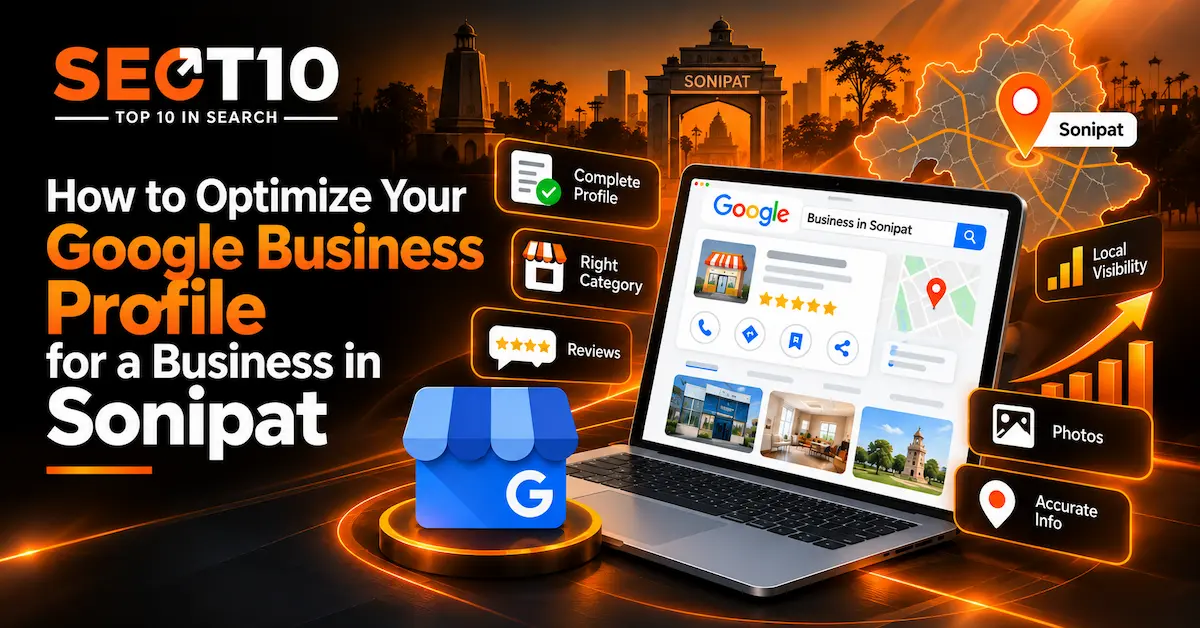
Search for a clinic, restaurant, coaching centre or repair service in Sonipat and the Google Business Profile is often the first thing you see. It shows the name, address, hours, phone number, reviews, photos, services and a directions button, all without the searcher opening a website.
Because so much of the decision happens on that card, small errors cost real enquiries. An old phone number, a wrong category, hours that are out of date or a pile of unanswered reviews will turn customers away before they ever reach your site.
Google says local results are influenced mainly by relevance, distance and prominence. You can’t pay for a higher local ranking, but you can make sure the profile is complete and accurate, and for most businesses that’s where the real gains are. Accuracy matters more than cleverness here. Most of the advice below is about making the profile match the real business and keeping it that way.
Check the basics first
Before you think about anything advanced, confirm the name, address, phone number, website, hours and category. Many profiles have at least one of these wrong.
Pay particular attention to the name. Google’s guidelines say it should be the real-world name the business uses consistently. If your clinic is called “ABC Dental Clinic,” the profile shouldn’t say “ABC Dental Clinic Best Dentist in Sonipat Sector 14.” Adding keywords to the name is against the guidelines and can get the profile suspended or edited, which is a much bigger problem than the ranking boost you were hoping for.
Pick the primary category carefully
The category tells Google what kind of business you are, and it’s worth more time than most owners give it. Google’s advice is to use as few categories as you need, and to make them specific and accurate. Local SEO research generally treats the primary category as one of the more influential factors in Local Pack visibility, though Google doesn’t publish its ranking system, so no one outside it can say how much.
A coaching institute should choose the education category that fits what it actually teaches. A digital marketing agency should pick the closest accurate category and not borrow unrelated marketing categories because they sound good. Extra categories are fine when they honestly describe something you do. They should support the main one, not turn the profile into a list of everything you might do someday.
Write a description for a person
You get 750 characters, with no URLs or HTML, and Google advises sticking to useful information instead of sales language or promotional pricing. Use the space to say what you offer, who you serve, where you’re based, what you specialize in, and how long you’ve been operating if that helps.
A string like “best services in Sonipat, top services in Sonipat, affordable services Sonipat” does the opposite of what its author hopes. It’s hard to read, and it signals nothing a customer can use. Imagine someone who has just found you in a search and wants to know in a few seconds whether you can help.
Get the address or service area right
This section matters most for businesses that travel to their customers. Google distinguishes storefront businesses, service-area businesses and hybrids. If customers don’t visit your address, you shouldn’t present a home or non-public location as a storefront. Service-area businesses can list the cities, postal codes or other areas they serve, up to 20 of them.
So a plumber, cleaner or repair service that goes to customers should set up its profile around the areas it covers. A restaurant, clinic or shop that people visit should show its real premises.
Don’t invent a Sonipat address to look closer to searchers. Distance is one of the three ranking factors, and a fake address isn’t a legitimate way around it.
List your actual services
If the Services section is available to you, use it. Google’s Services Editor lets eligible businesses add services, group them into categories and attach descriptions and prices, and customers can see these on the profile.
This fills a gap that a bare category leaves. “Digital Marketing Agency” is a broad label. A profile that lists SEO, Google Ads, social media marketing and local SEO tells a searcher what they can actually buy. It also helps to have a website that says the same things. The profile and the site should describe one business, not two slightly different ones.
Keep hours current
Hours are easy to neglect until a customer acts on them. Google asks for your regular customer-facing hours, with special hours for holidays and temporary changes. Some business types, such as certain appointment-only businesses and schools, follow different display rules.
Think of the person searching for a restaurant at 8:30 p.m., or a patient deciding whether to call a clinic today, or someone deciding if a drive to a showroom is worth it. Wrong hours waste their time and leave them with a poor impression of an otherwise well-run business.
Use real photos
Customers want to see what they’re walking into or buying. Google lets you add storefront, product and service photos, along with a logo and cover image, and recommends clear, well-lit shots that look like the real thing, without heavy editing or filters.
In Sonipat, that might mean the exterior and signage, the entrance or reception, the interior, products, equipment, and completed work. A manufacturer can show its facility and production floor. A restaurant can show the dining room and real dishes. A coaching institute can show its classrooms. Generic promotional graphics don’t tell a customer anything about your business.
Treat reviews as a routine
Reviews are the most visible part of the profile, and Google encourages businesses to reply to them, professionally and briefly.
The most reliable approach is to build the request into the normal end of a job: when the work is done, ask the customer for honest feedback about their experience. Google prohibits offering payment, discounts or free goods in return for reviews. It also prohibits asking only for positive reviews or pressuring people to use particular wording. Telling a customer to “give us five stars and mention our SEO services in Sonipat” breaks those rules twice over.
Negative reviews aren’t something to bury. A calm, specific reply often tells a prospective customer more about your business than a long run of identical “Thank you for your valuable feedback” responses.
Post when you have something to say
Google Posts let you publish updates, offers and event information on Search and Maps, with text, images or video. Posting daily for the sake of it isn’t useful. A seasonal menu, an admissions announcement, a change in service, a new product line or a newly introduced service is the kind of update a customer might care about. Keep posts inside Google’s content policies.
My own judgment is that posts belong near the bottom of the priority list. Fix the name, category, hours, services, photos and reviews first, since a customer will notice those far sooner than a post.
Link to the right page
The website link should land on a page that matches what the searcher wants. A restaurant can link to its menu or booking page, a clinic to the relevant service page, and a manufacturer to a page that explains its products and capabilities. A local agency can link to a page about its services, such as an SEO agency in Sonipat page, instead of sending everyone to a generic homepage. The profile gets people to your door, and the page they land on has to do the explaining.
Look at the data
A verified profile shows performance data. Depending on the business and the features available, Google’s reporting can include searches, profile views, calls, website clicks and direction requests.
The numbers don’t explain themselves, but they point to where to look. If searches are rising and website clicks aren’t, people may be finding the profile but not seeing a reason to go further. If views are up and calls are flat, the problem might be the offer, the reviews, the services list or the photos. Use the numbers to decide what to check, and don’t treat them as answers.
It isn’t a standalone tactic
A strong profile helps, but it sits alongside your website, service pages, reviews, links, citations and the consistency of your business details across the web. Local SEO research shows these signals working together, not in isolation. Treating the profile as a one-time checklist ignores that, which is why it makes sense to look at your broader local SEO strategy too.
A quick checklist
Before you call the profile finished, check that:
- the name is the one the business actually uses
- the primary category is accurate and specific
- the address, or the service-area setup, is correct
- the phone number works and belongs to the business
- regular and special hours are current
- the description is clear and free of keyword stuffing
- your main services are listed
- the photos are recent and genuine
- you ask customers for honest reviews, with no incentives
- you reply to existing reviews
- the website link goes to a relevant page
- someone looks at searches, calls, website clicks and direction requests
Mistakes to avoid
A few mistakes come up often when a business is in a hurry to rank. These include adding keywords to the name, creating several profiles for one location to target different terms, listing areas you don’t really serve, buying or incentivizing reviews, using misleading photos and posting repetitive promotional content. They can make a profile look optimized while making the information less trustworthy, and Google’s guidelines are clear that the profile should represent the real business and that review manipulation isn’t allowed.
Where to go from here
Treat the profile as ongoing maintenance, not a setup task. Start with accurate information, and add categories and services that reflect what you really offer. Keep hours current and upload real photos. Ask for honest reviews and answer the ones you get. Post when there’s news, point the profile at the right page on your site, and check the data now and then.
A profile works when the listing, the website, the reviews and the real business all say the same thing. Adding a few keywords to a listing doesn’t do that.
If you’d like help with the wider local search work around the profile, SEO services in Sonipat can cover the website and local visibility side. You can also read how SEO agencies in Sonipat help local businesses rank faster, review SEOT10’s pricing, and get in touch through the contact page.